Every reading, in context.
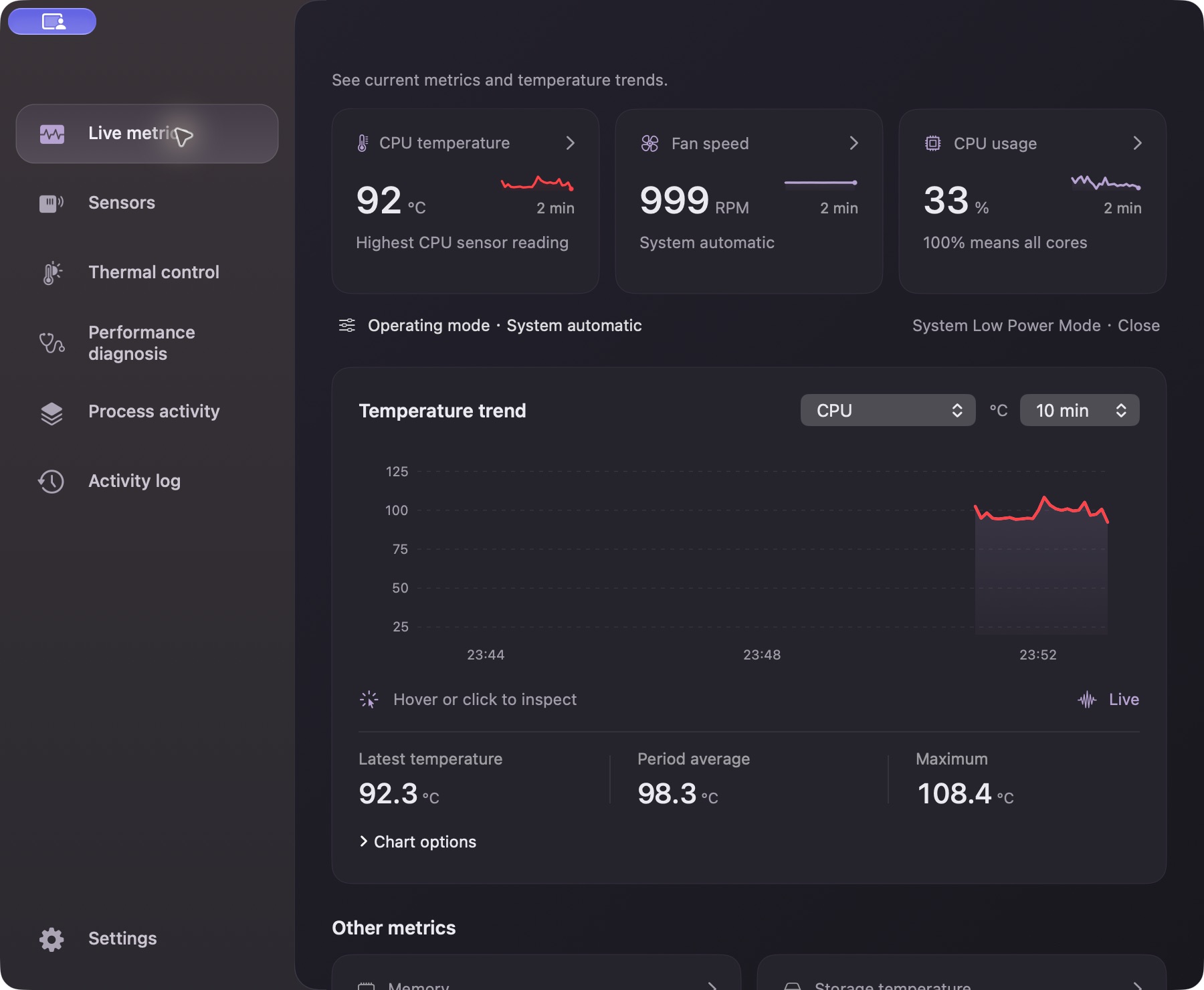
Search available temperature, power, voltage and current sensors. Follow the recent trend instead of a single number.
 ShowMac
Your favorite readings, always in sight.
Click for live cards. Open the app for the full picture.
macOS 11+ · Intel & Apple Silicon · Desktop developer preview
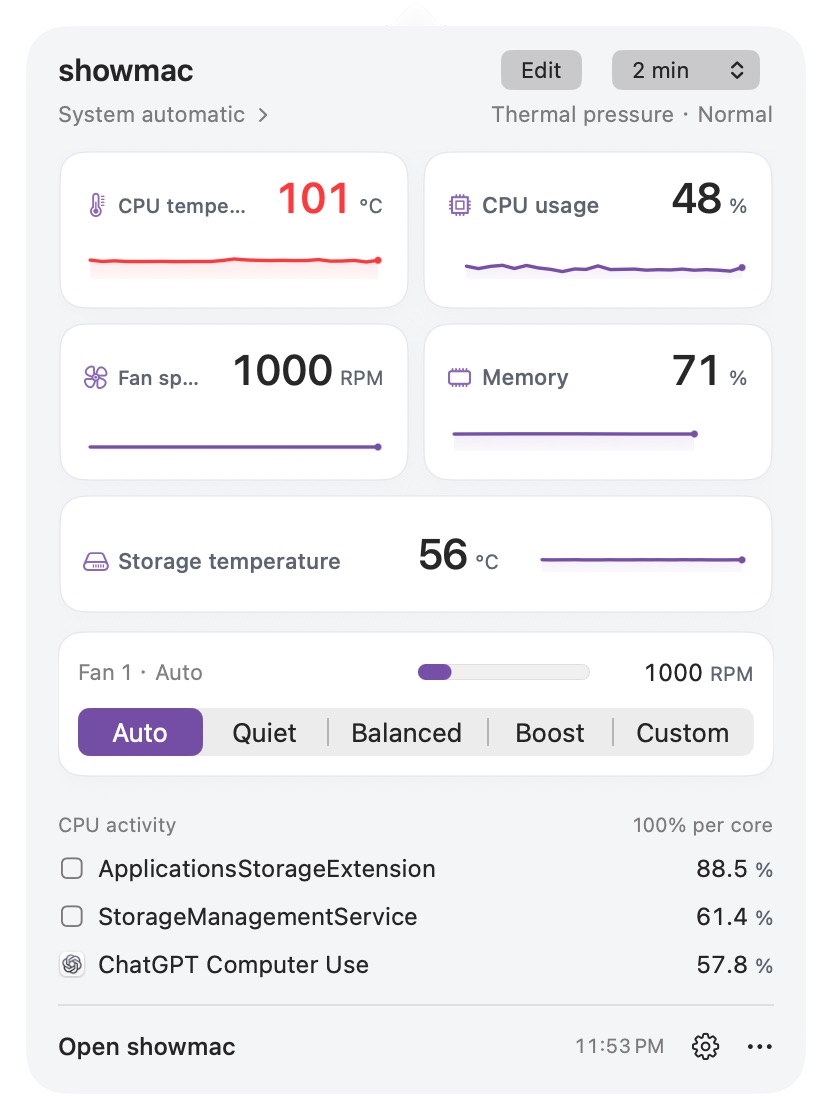
A compact panel for a quick check. A full dashboard when you want the details. Your Mac’s story, at the right level.
Choose a fan preset, or shape the response yourself. Timed control returns to automatic after 30 minutes, with thermal protection active.
Drag a point. Use arrow keys to fine-tune. This preview does not control your Mac.
Fan control depends on hardware capabilities. Apple Silicon support is experimental. The website download includes the full desktop app.
Search available temperature, power, voltage and current sensors. Follow the recent trend instead of a single number.
Pause the chart, inspect a sample, change the scale or export a record. Session history stays in memory for up to 30 minutes.
Native controls, light and dark appearances, readable type and adjustable menu bar spacing. English and Chinese, with more languages available.
Download the full desktop developer preview. Choose the chip inside your Mac.
For Macs with Apple M-series chips
Download ARM64For Macs with an Intel processor
Download IntelVersion 1.18.0 · Build 266. Ad-hoc signed and not notarized; macOS may show an unverified-developer message. Installation notes and checksums are included below.
The desktop preview targets macOS 11 or later, with separate Intel and Apple Silicon downloads. Available sensors and control features vary by model. macOS 26 and 27 have cross-version interface checks; older systems are not all physically validated.
Yes. Monitoring starts read-only, with fans managed by macOS. Hardware control requests administrator authorization when first used. Choose Auto to return control to the system.
The app processes readings and session history on your Mac. No account, advertising SDK or analytics service is built into the current app. Website access logs and voluntary support emails are covered separately in the privacy policy.